.png)
 2 days ago
17
2 days ago
17
The Blood of Dawnwalker launched without any friend-friendly (wordplay intended) features built in, as Rebel Wolves pitched it purely as a one-character, story-driven campaign.
Fortunately, a new mod called Dawnwalker Together, built by a creator known as MrSecondPlayer, brings local split-screen co-op onto the vampire RPG, letting a second player jump in on the same PC using a controller.
What the Dawnwalker Together Mod Actually Adds
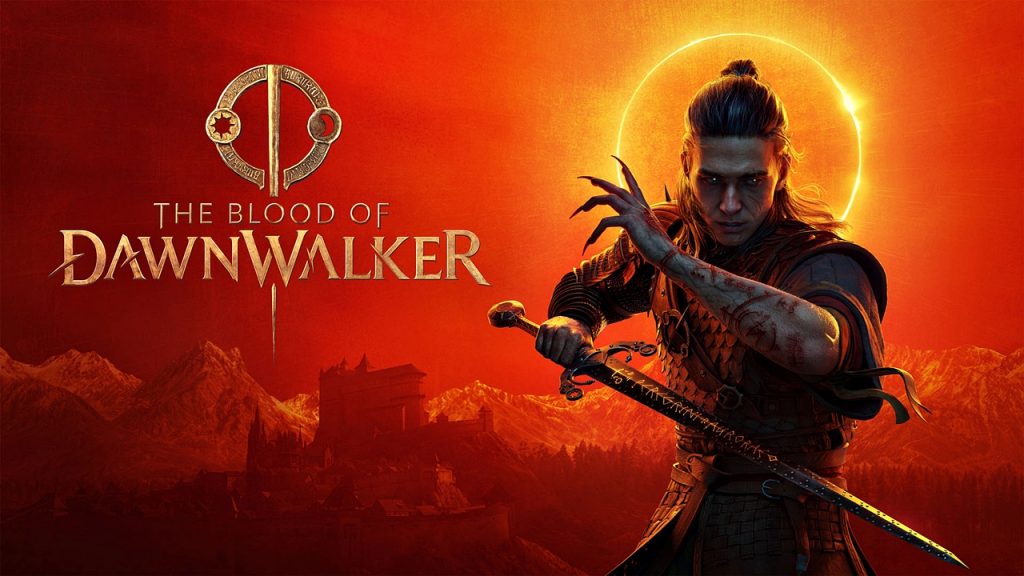 The Blood of Dawnwalker | Credit: Rebel Wolves
The Blood of Dawnwalker makes players play as Coen, a human-by-day, vampire-by-night protagonist navigating 14th-century Vale Sangora, and the base game was designed from the ground up as a single-character, single-player campaign. Dawnwalker Together changes that by dividing the display into two horizontal halves, giving each player an independent camera so another player can genuinely roam the map alongside the host.
Running it is currently limited to PC owners, since it depends on a Windows build of the game plus UE4SS, the Unreal Engine modding framework the tool is built on top of.
The person hosting keeps using their usual keyboard and mouse setup, while whoever joins in as player two needs an XInput-compatible controller to move around and interact with the world. Player two’s combat options are still limited at this early stage.
The developer, MrSecondPlayer, isn’t new to this kind of project, as he has released a similar co-op mod for the city-survival game Frostpunk, along with several smaller Dawnwalker tweaks.
How to Install and Activate Split-Screen Co-Op in The Blood of Dawnwalker
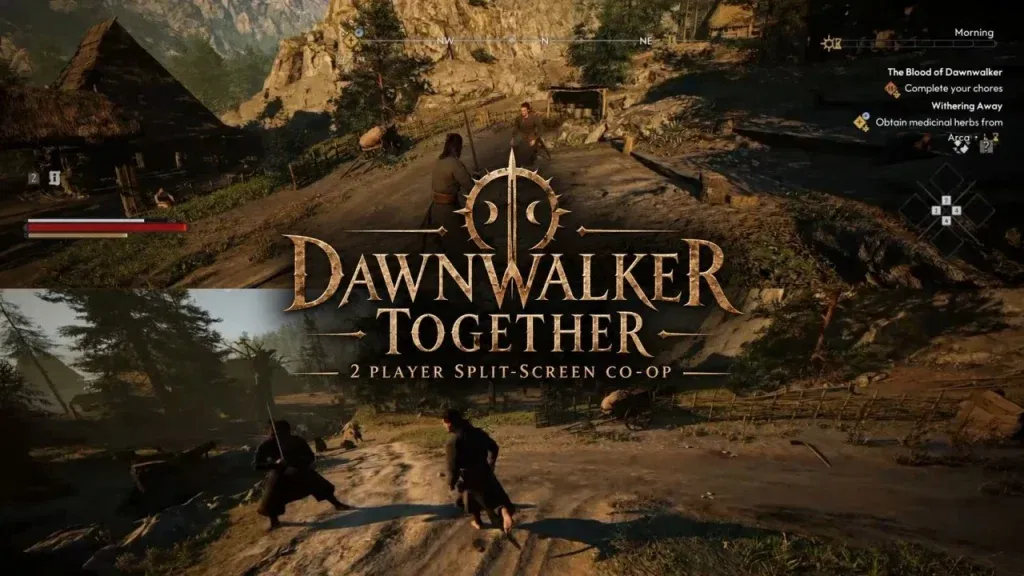 Dawnwalker Together mod | Credit: MrSecondPlayer
Getting Dawnwalker Together running isn’t a one-click job. You’ll need UE4SS set up for The Blood of Dawnwalker first, then grab the mod files from Nexus Mods.
Those files go inside the game’s directory at:
- Dawnwalker\Binaries\Win64\ue4ss\Mods
You can confirm that everything unpacked correctly by looking for this in the same folder:
- Dawnwalker\Binaries\Win64\ue4ss\Mods\DawnwalkerTogether\Scripts\main.lua
Plug in the controller before you boot the game up, not after. From there, load any regular save and hit Ctrl+Y to bring in a second player and split the view. Use the following shortcuts if things don’t go smoothly:
- Ctrl+F7: Reposition Player 2 beside Player 1 if they spawn in the wrong place.
- Ctrl+F8: Resets the controller connection
- Ctrl+F9: Forces a fresh attempt at loading player two’s model and gear.
- Ctrl+U: Drops player two and returns you to a standard solo session.
It’s a surprisingly well-done solution for a game that was never built with a second player in mind, and a solid proof of concept for these types of RPGs that rarely get co-op support.
Will you be hopping onto The Blood of Dawnwalker with a friend anytime soon? Make sure to let us know in the comments below!






















/https%3A%2F%2Fsportsmole-media-prod.s3.gra.io.cloud.ovh.net%2Fuploads%2F2026%2F09%2Ficonsport-373637-0018-6a9e6d20a27e0398293470.jpg)
 Bengali (BD) ·
  English (US) ·