.png)
 1 week ago
7
1 week ago
7
Playing around with the camera settings in Crimson Desert can be fun, especially when you realise you can make it look like other games instead. We have already covered how you can have the over-the-shoulder look, just like how it is in God of War, and it is about time we let you know about the best Isometric camera settings that let you play the game as if it were Baldur’s Gate 3, or even Diablo.
Best Camera Settings to Get The Baldur’s Gate 3 Look in Crimson Desert
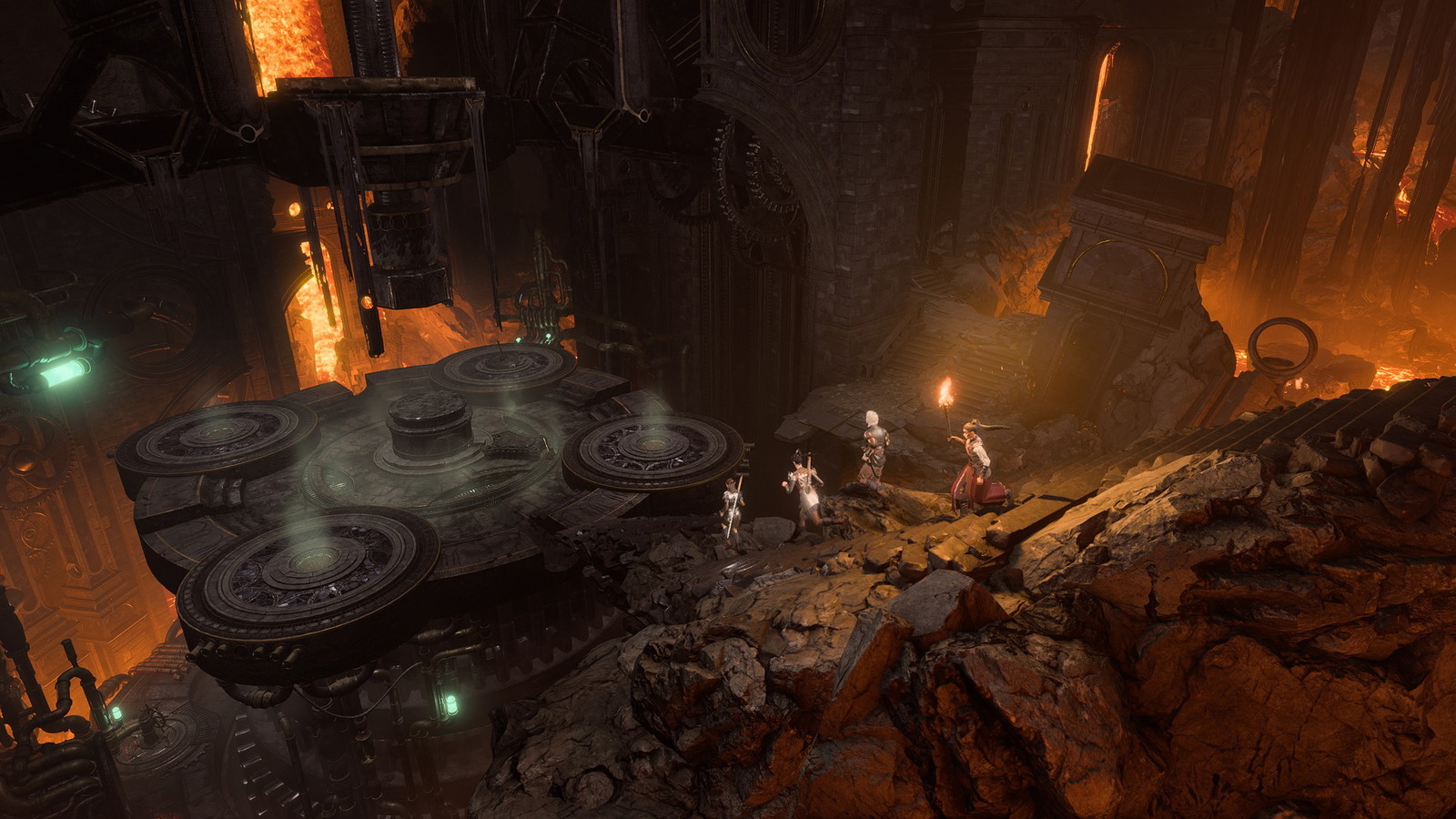 Baldur’s Gate 3 follows a top-down camera angle | Credit: Larian Studios
Getting the BG3-style isometric camera in Crimson Desert is surprisingly straightforward. All the options you need are already built into the game, thanks to the number of camera-modifying settings available.
Where to find these settings? Head to Others -> Options -> Settings -> Accessibility. Here you will find three key sliders: Camera Visual Range, Camera Vertical Offset, and Camera Horizontal Offset.
To get the closest match to Baldur’s Gate 3’s angled top-down perspective, use these values:
| Camera Setting | Value |
| Camera Visual Range | 0-10 |
| Camera Distance | 80-100 |
| Camera Vertical Offset | Maximum |
| Camera Horizontal Offset | 0 |
For the truest isometric experience, set your FOV all the way to zero and Camera Distance to 100. This should push the camera directly overhead, making Kliff look almost like a small action figure.
The best practice is to experiment with the sliders until the view feels just right. Every player’s preference is different, and Crimson Desert’s camera system is flexible enough to accommodate a wide range of styles.
Pros and Cons of The Isometric Camera Angle
Playing isometriclyby u/Competitive-Tie-2486 in CrimsonDesert
There are things you should be wary of when it comes to possibly using this camera style for your entire playthrough. To start with, Crimson Desert’s environments are packed with detail, and the overhead view reveals the best of these world design elements that you won’t notice at ground level otherwise.
Additionally, much like in BG3 itself, a wider top-down angle makes it easier to spot enemies approaching from multiple directions.
However, combat is also where you will see this camera setting’s biggest drawback as well. Players report that simply executing a hit will block the camera by locking onto the enemy. This is something that happens when the player draws their bow as well.
| Crimson Desert Release Year | 2026 |
| Publisher | Pearl Abyss |
| Developer | Pearl Abyss |
In all honesty, the isometric camera is best treated as a situational tool rather than a permanent setup, making it perfect for specific activities, but not suitable as a full replacement for your default view.
What camera settings do you prefer while playing Crimson Desert? Drop them in the comment section below to let us know!



















/https%3A%2F%2Fsportsmole-media-prod.s3.gra.io.cloud.ovh.net%2Fuploads%2F2026%2F02%2Fimago1072832028-1-1-6996d086195c8904803070.jpg)

 Bengali (BD) ·
  English (US) ·