.png)
 1 week ago
17
1 week ago
17
In Solarpunk, your airship is the key to getting off the starter island and reaching every other system in the game, including Traderbot, copper, wheat, quartz, and more. However, before you can fly anywhere, you need to unlock the Airship Dock, track down the Crashed Airship Component, and build your first airship. From there, a set of airship upgrades covering engine speed, battery power, solar charging, hull durability, storm resistance, and HUD detail determines how far and how safely you can travel.
Building Your First Airship
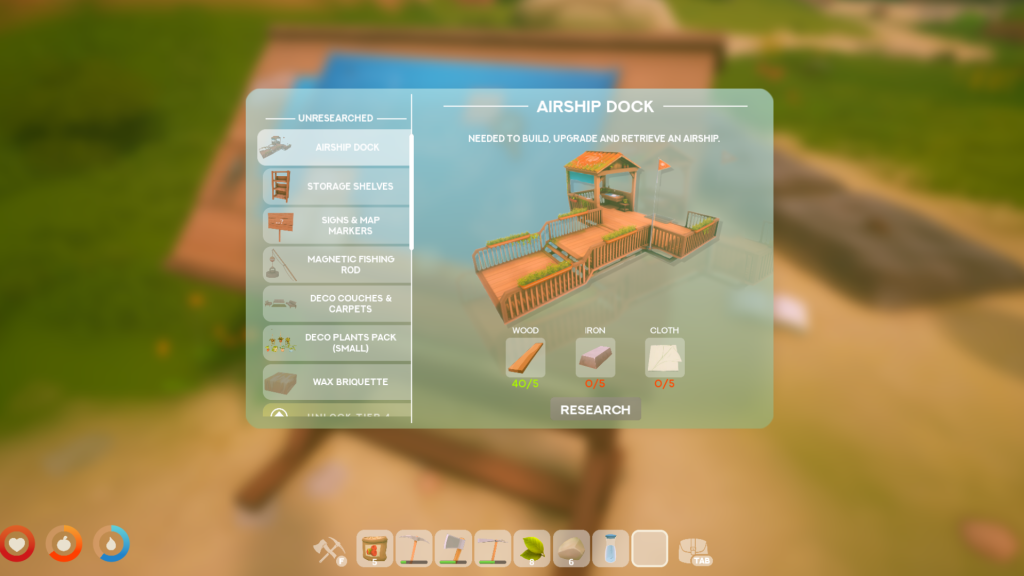 Airship Dock Recipe | Credit: Cyberwave
Before the Airship Dock recipe appears, you need to reach Tier 3 at the Research Table, which requires an Iron Bar. Once unlocked, the Airship Dock costs 5 wood, 5 Iron, and 5 Cloth, and it must be placed on the edge of your island with roughly half of it hanging over open air.
Next comes the part most players miss: the Crashed Airship Component. This comes from a wreck site on the starter island, and without it, the dock panel won’t let you build an airship. The wreck sits on the highest elevated hill on the island, which would require you to stack stairs with the Build Hammer to reach it.
With the component in hand, open the dock panel, and you can build your first airship for 10 Iron, 3 Cloth, and 1 Crashed Airship Component. Once your airship is up and running, pay attention to the indicator lights near your dock, which signal whether it’s safe to land, and keep a few Repair Kits on hand in case a rough landing or collision leaves it damaged.
Upgrading Your Airship in Solarpunk
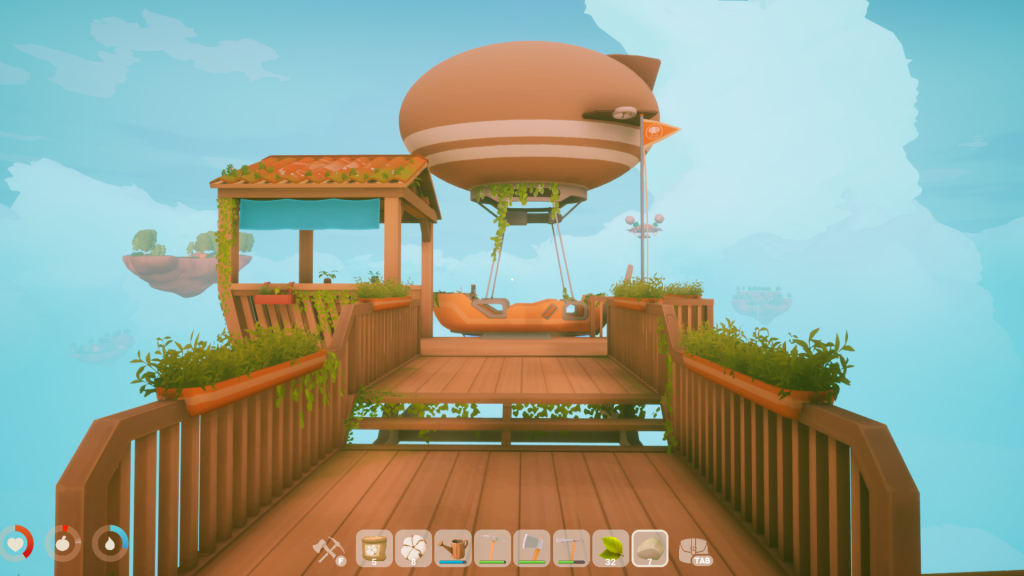 Airship Dock | Credit: Cyberwave
Airship upgrades in Solarpunk fall into six categories: Engine, Battery, Solar Panel, Hull, Resistance, and HUD. Each upgrade category also has its own tier costs, and most call for either 1, 3, or 5 Airship Upgrade items per tier. However, for Resistance, you will have to stick with standard Blueprint items rather than Airship Upgrade items.
Crucially, your travel range only grows through Traderbot progression, not by flying further. Work through Traderbot’s trade chain in order; most trades give blueprints, but specific trades along the way reward Airship Upgrade items. The first major range increase (Level 2) requires a 32 Copper trade, and a later upgrade asks for 6 Eggs. This means you should start saving eggs early instead of cooking them to help you unlock this upgrade early on.
It’s also important to keep in mind that completing a Traderbot trade doesn’t expand your range on its own, and that it only hands you the upgrade item. You then need to fly back, dock your airship, open the dock panel, and click Upgrade to actually apply it. If your map circle hasn’t grown after a trade, this missing step is most possibly the reason why.
For priorities, pair Battery and Solar Panel upgrades if long trips are draining your power, additionally pick Engine if travel feels too slow, and choose Hull or Resistance once storms and crashes become a real problem. Following is a table to help with understanding what part of the Airship you should upgrade to improve what:
| Engine | Speed/ Acceleration |
| Battery | Power Reserve |
| Solar Panel | Recharge Rate |
| Hull | Damage Capacity |
| Resistance | Storm and Weather Resilience |
| HUD | Extra Flight Information |
Loved the Airship upgrade guide? Drop your thoughts in the comments below and let us know which Solarpunk guide you would love to see next.




























/https%3A%2F%2Fsportsmole-media-prod.s3.gra.io.cloud.ovh.net%2Fuploads%2F2026%2F06%2Frio-ngumoha-email-sportmole-6a27b73e9a471352625861.png)
 Bengali (BD) ·
  English (US) ·