.png)
 3 days ago
20
3 days ago
20
All the +1 Speed Keyboard Escape players have a new limited-time job to do, and it’s called the Medal Quest. This task is introduced by the developers, SecretVerse Studio, in collaboration with the Medal video recording app. Completing this quest will reward players with a Medal Aura that increases the speed gain by +2.
You don’t have much time to complete the Medal Quest in +1 Speed Keyboard Escape, as it may be taken down by the developers at any time. Keeping that in mind, here’s a quick guide for the said quest in this Roblox experience.
Steps to Complete the Medal Quest in +1 Speed Keyboard Escape
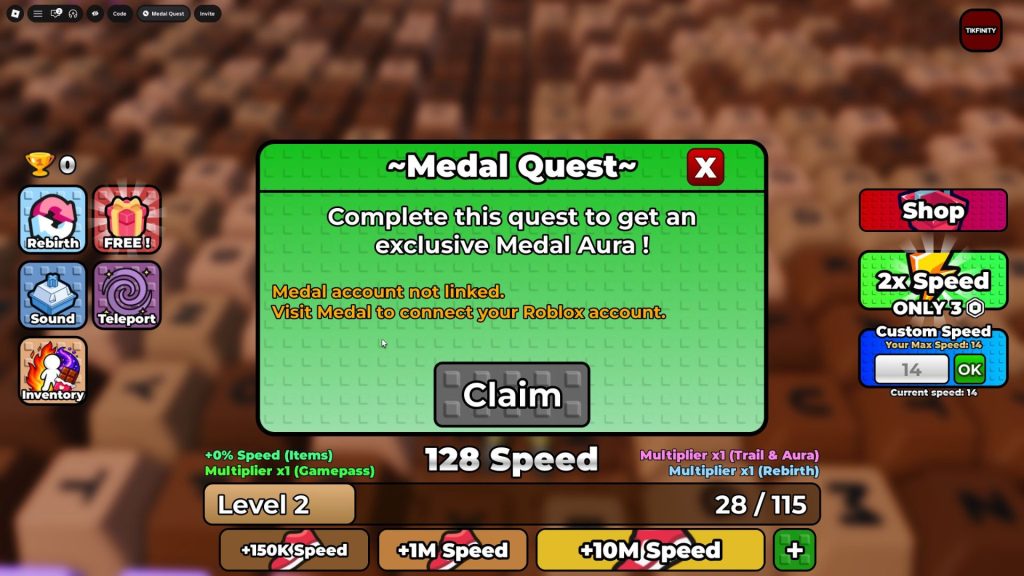 The Medal Quest | Image via SecretVerse Studio
For easy understanding, we have broken down the steps to complete the Medal Quest in +1 Speed Keyboard Escape below:
1. Download the Medal App
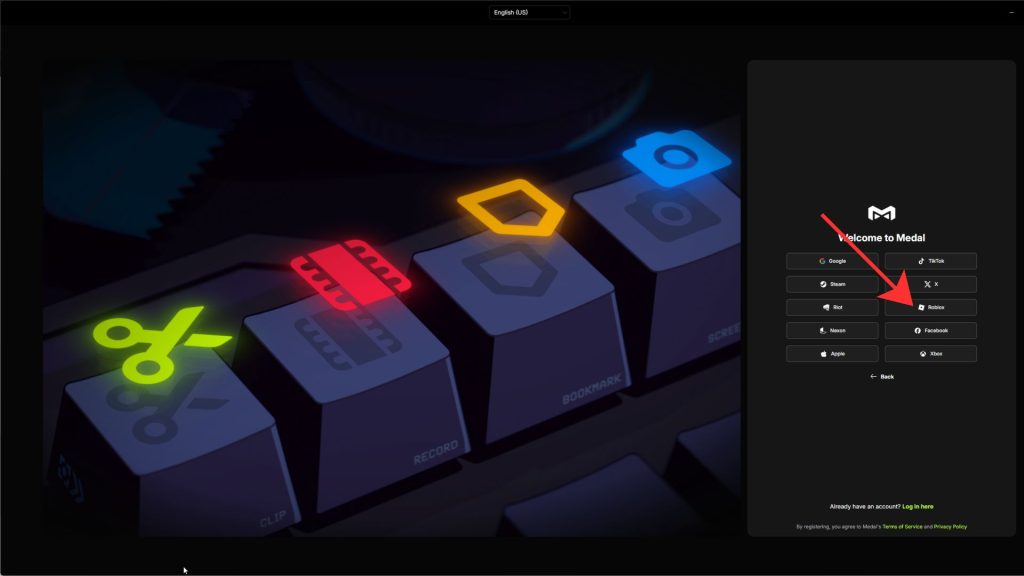 Log in using Roblox on the Medal app | Image via Medal/FandomWire
To complete the Medal Quest, the first thing you must do is download the Medal app. You can do so by heading over to the official website in your web browser. Once the app is downloaded, make sure to log in using a different platform or create a new account (if you wish to). We advise you to log in with the Roblox ID you use to play this game.
Since you need to link your Roblox account with Medal to complete the quest, logging in with your Roblox account will ease the steps. If you haven’t logged in with your Roblox account, you can use the steps mentioned below to link it with Medal.
2. Link Roblox with the Medal App
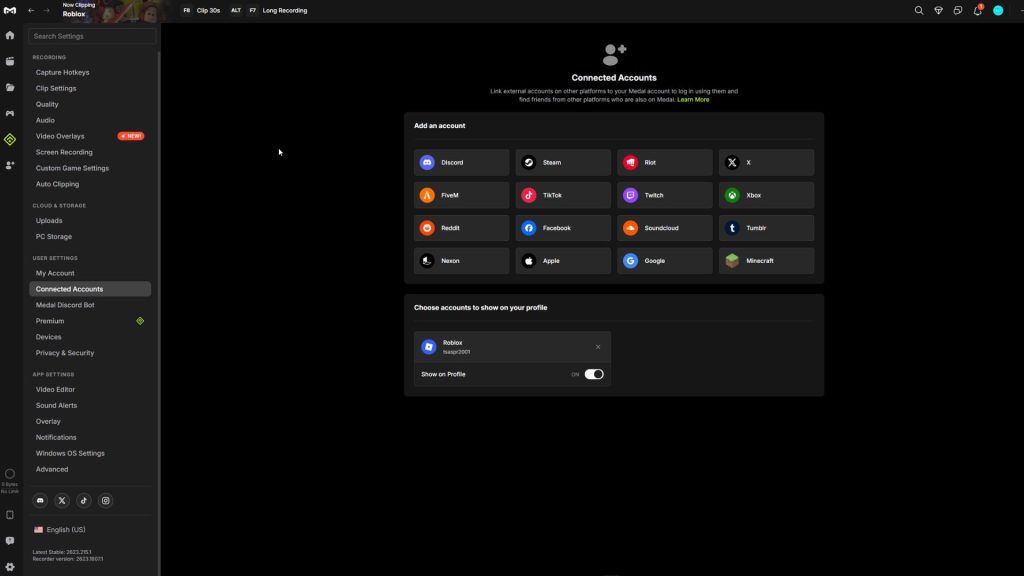 Link your Roblox account with the Medal app | Image via Medal/FandomWire
Once you have created an account on the Medal app, click on the settings icon at the bottom of the side menu. From there, switch to the ‘Connected Accounts’ menu under the User Settings tab. In this menu, click on the ‘See more’ button to find a Roblox option. Click on it, enter the credentials of your Roblox account, and confirm to link them. Remember, this is an important step, and you can’t afford to skip it.
3. Record a Clip
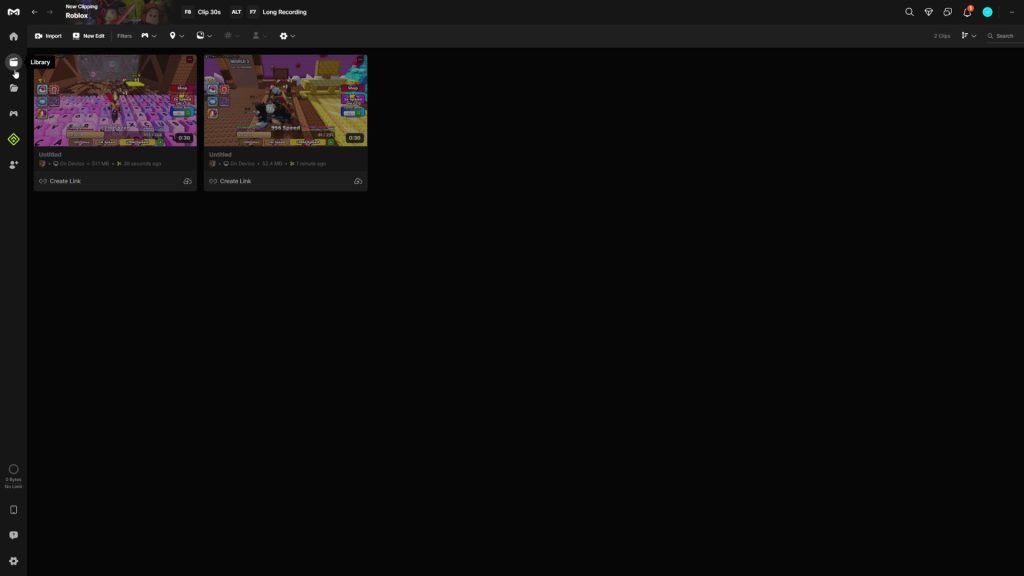 Recordings are saved in the library | Image via Medal/FandomWire
After you are done linking your Roblox and Medal app, launch +1 Speed Keyboard Escape on your device. Start playing the game naturally and press F8 on your keyboard to start a recording. You have to record any random clip from the game and upload it to your Medal profile to complete the quest.
4. Upload a Clip on the Medal App
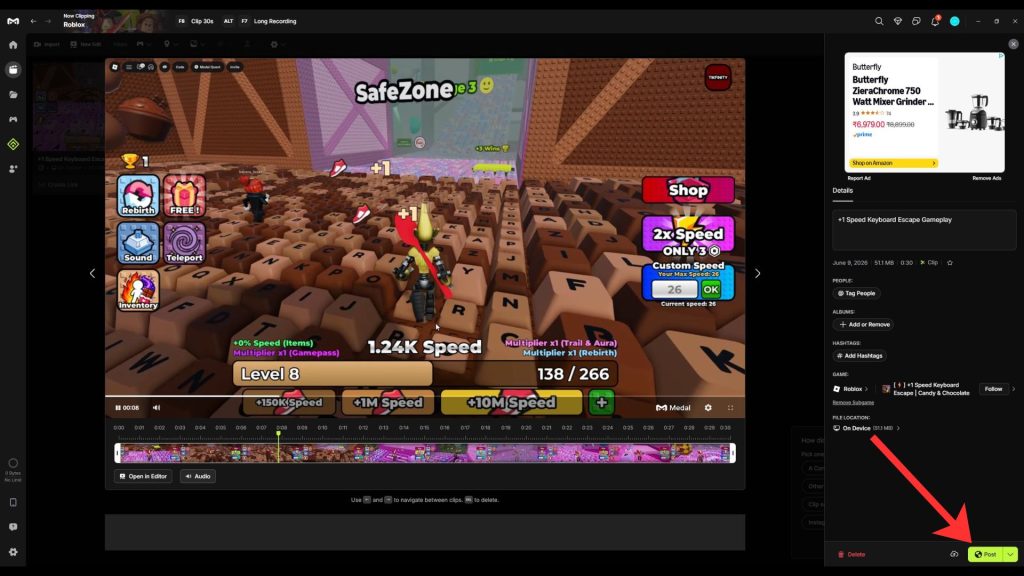 Posting a clip on Medal | Image via Medal/FandomWire
To upload a clip of your +1 Speed Keyboard Escape gameplay, open the Medal app and enter the library menu. It is found directly under the home button in the side menu. All your recorded clips will appear in the library. Select a clip in the library, add a description, and press the Post button below. Doing so will open a small window for confirmation.
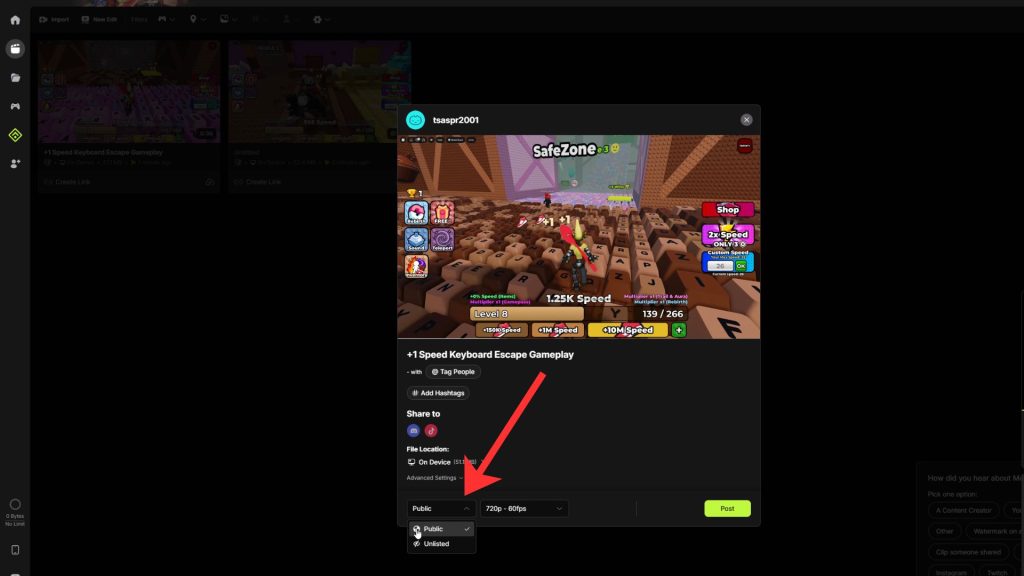 Keep the video public on Medal | Image via Medal/FandomWire
You have to make sure that the clip is set to Public before it’s published in the next window. This can be done by using the menu next to the resolutions box in the small window.
Once this is done, you can post the video and head back to +1 Speed Keyboard Escape to claim your rewards.
Medal Quest Rewards in +1 Speed Keyboard Escape
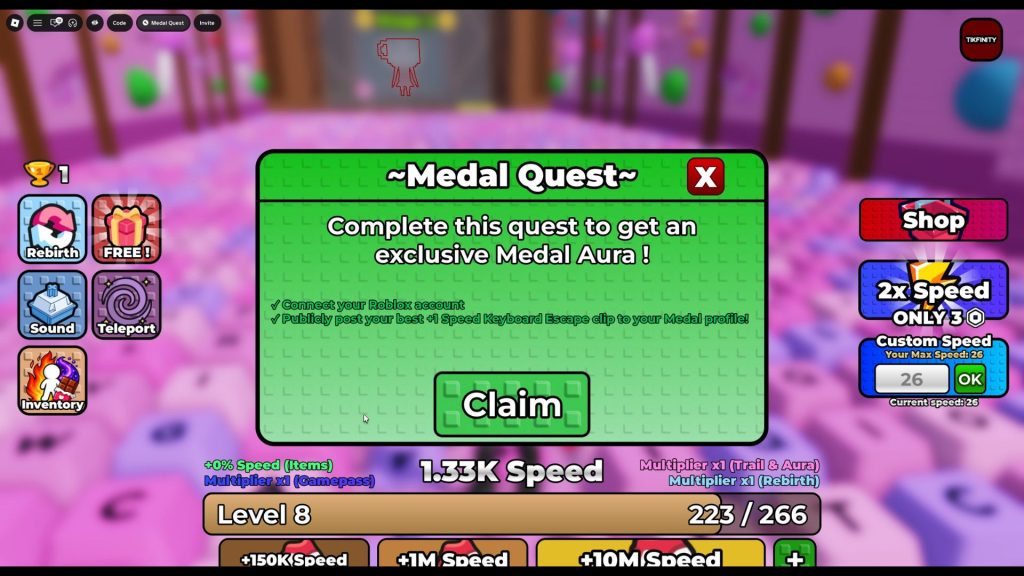 Complete the quest to receive a free Medal Aura | Image via SecretVerse Studio
As mentioned earlier, completing the Medal quest rewards you with a Medal Aura in this game. You can equip it from the Aura menu in the Inventory. After equipping it, your speed gain while walking/sprinting increases by +2. This will help you level up relatively faster than usual.
What else do you need help with in this game? Let us know in the comments below.



















 Bengali (BD) ·
  English (US) ·